When you get to a point you want to upgrade your SSD from a smaller storage capacity to a bigger one, cloning the drive makes sense. Tools like CloneZilla make this trivial to do. However, you may end up noticing that your storage space in the main partition is still the same. You check gParted and see a block of unallocated space. How do you get your main pool to use that new space?
Note: This requires root or proper sudo access
Enable autoexpand
1. If the pool was not imported during the partition resize, import it using zpool import <poolname>.
2. Run zpool status to identify which ZFS pools are online
3. Set autoexpand . You can do this by running zpool set autoexpand=on <poolname>
Installing and running parted
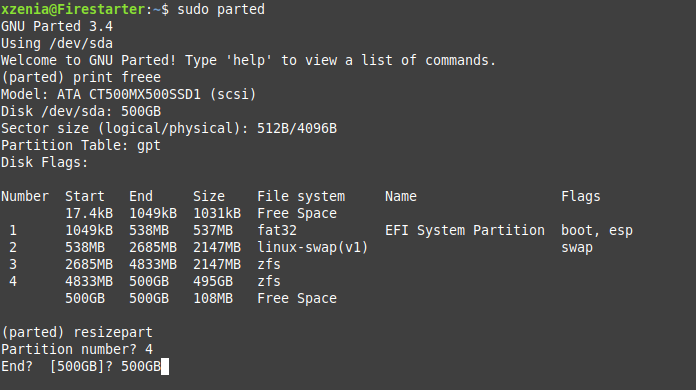
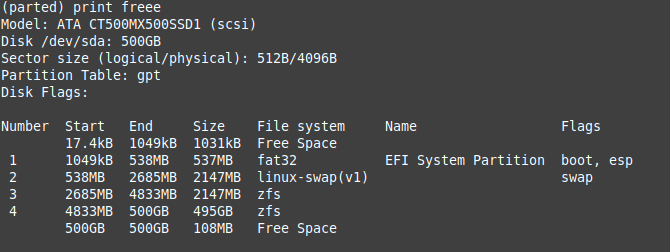
1. Once parted is running. Type print free in the command prompt. You should see the rpool your drive is currently using and the unallocated space below it. The relevant information here is the numbers in the End column of the table.
2. Type resizepart and choose the partition you want to resize. You will be prompted to type in the new size of the partition, be sure to include the unit as well (e.g. 500GB).